

I wanted to share a real-world working example of how we currently leverage YAML templates to facilitate reusability and consistency for building and deploying our apps to Azure. The one thing the various development teams have in common are the languages they use for writing the APIs (.NET Core) and portals (Angular). Rather than continue on with the legacy approach of using separate pipelines, (which in and of itself becomes a management nightmare) we decided to move on with templates. Let’s dive right in to see how this looks!
We start off by adding a calling/referencing pipeline to the application code base.
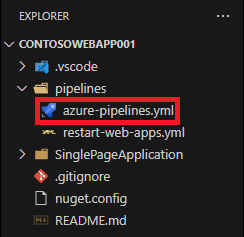
The file itself is standard with a few things standing out as follows.
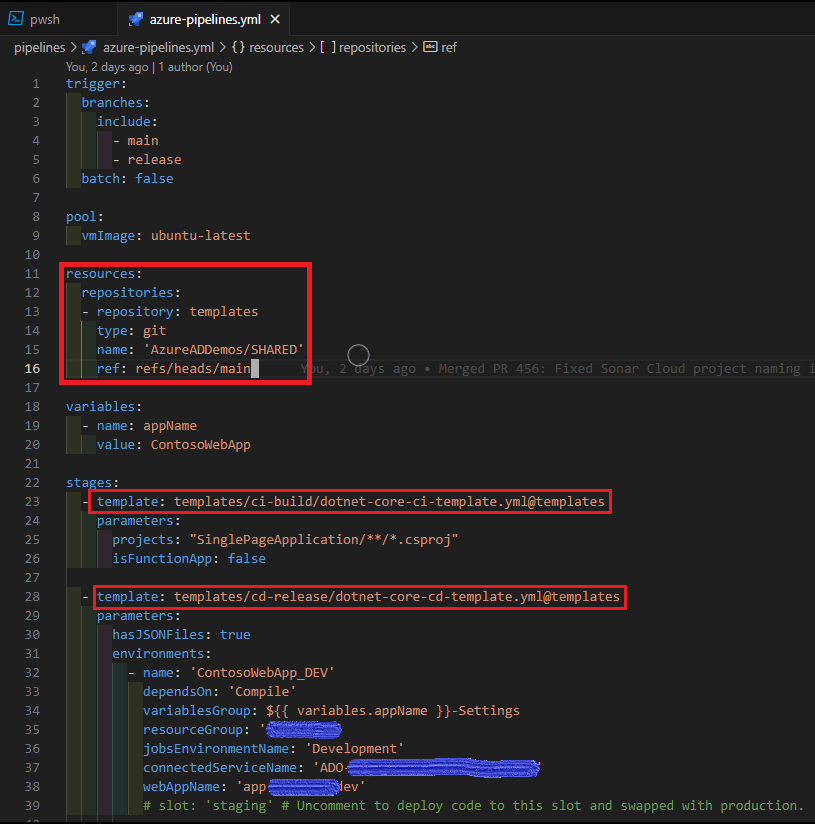
- The resources block is added pointing to the repo that contains the CICD pipeline template files.
- The path pointing to the template file used for building the application code.
- The path pointing to the template file used for deploying the compiled application code to Azure resources.
- Bonus: Line 31 is used by the CD template (see below) to loop over an array for deploying to multiple environments (DEV, QA, etc.).
- See this page for more on defining resources in YAML.
Here’s what the templates look like.
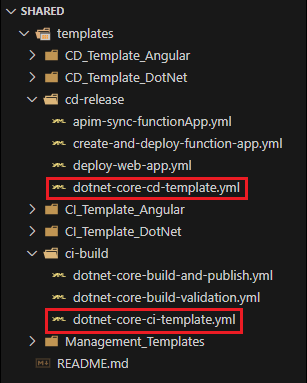
dotnet-core-ci-template.yml

dotnet-core-cd-template.yml
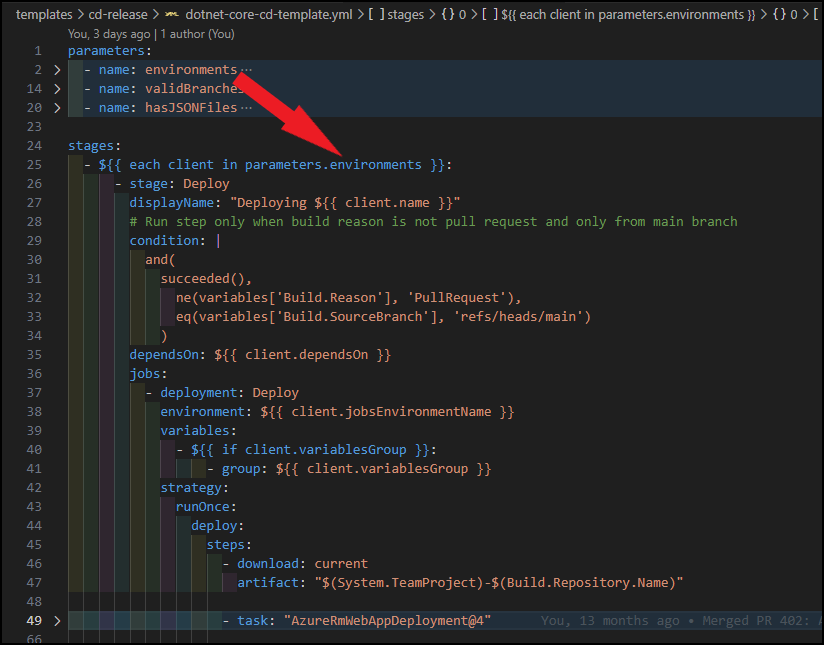
This pattern is not just limited to .NET Core, we also use it for Angular. You can see how much easier this makes things overall for us. Source code can be found here.
Reach out in the Comments if you have any questions. Good luck!
 Churchill's Blog